Download the
wg8 App
Free APK for Android
Get the wg8 app on your Android phone — no Play Store needed. Log in with bKash, place cricket bets, spin slots and hit live casino tables, all from one lightweight app.
App Features
Top up your wg8 account directly from the app using bKash, Nagad or Rocket. Deposits go through in about 2 minutes and the minimum is just ৳500 — no extra fees charged by wg8.
Follow BPL, IPL, T20 and ODI matches ball by ball. The app pushes live odds updates directly to your screen — no page refresh needed. Tap to place a bet in seconds while the match is in progress.
All casino content — slots from PG Soft, live tables from Ezugi, Teen Patti, Aviator crash games and fishing rooms — loads natively in the app without opening a browser window.
Get notified the moment a bonus is credited, a match is about to start, or your withdrawal is processed. You can control which alert types you want inside app settings — no spam.
The wg8 app is optimised for mid-range Bangladeshi phones. It runs smoothly on Android 7.0 with 2 GB RAM, uses mobile data efficiently, and the APK is only 45 MB — so it installs fast.
The wg8 support team is available around the clock through in-app live chat. You can also reach them by email at [email protected]. No waiting on hold — most queries are resolved in under 5 minutes.
Android APK Installation — Step by Step
Android blocks apps from outside the Play Store by default. You need to allow "Unknown Sources" once. The whole process takes under 3 minutes.
-
1
Allow Unknown Sources
Go to Settings → Security → Install Unknown Apps. Find your browser (Chrome or Firefox) in the list and switch it on. This tells Android it is okay to install APK files you download yourself. You can turn it off again after installation if you prefer.
-
2
Download the APK
Tap the Download APK button on this page. Your browser will save
wg8.apk(45 MB) to your Downloads folder. If your browser asks "Keep this file?" — tap Keep. Do not download the APK from any other website. -
3
Open the APK File
Pull down your notification shade and tap the completed download notification — it shows wg8.apk. Alternatively, open your Files app, go to Downloads, and tap the file. Android will show an installation screen with a list of required permissions — scroll through and tap Install.
-
4
Wait for Installation to Finish
The install takes about 20–30 seconds. You will see "App installed" when it is done. Tap Open to launch wg8 straight away, or find the wg8 icon on your home screen. If installation fails, see the troubleshooting table below.
-
5
Log In or Register
Open the app and tap Log In if you already have a wg8 account. New player? Tap Register — it takes about 2 minutes. Enter your mobile number, set a password and verify. Your welcome bonus is credited automatically on your first deposit via bKash or Nagad.
System Requirements & Version Info
Always download from this page only — wg8.wine/wg8-app/ — to make sure you get the latest verified version.
wg8 App vs Web Browser
Both the app and the web version give you the same account balance, bonuses and game library. Here is where they differ:
| Feature | wg8 App | Web Browser |
|---|---|---|
| Push Notifications | Yes | No |
| Loading Speed (on mobile data) | Faster — assets cached | Slightly slower |
| bKash/Nagad One-Tap Pay | Yes | Redirects to browser |
| Biometric / Fingerprint Login | Yes | No |
| Live Score Widget | Yes | No |
| Game Library Size | Full — 2,000 games | Full — 2,000 games |
| Account & KYC Management | Yes | Yes |
| Works on iOS (iPhone) | Add to Home Screen | Yes — via Safari |
| No App Store Required | Direct APK download | No install needed |
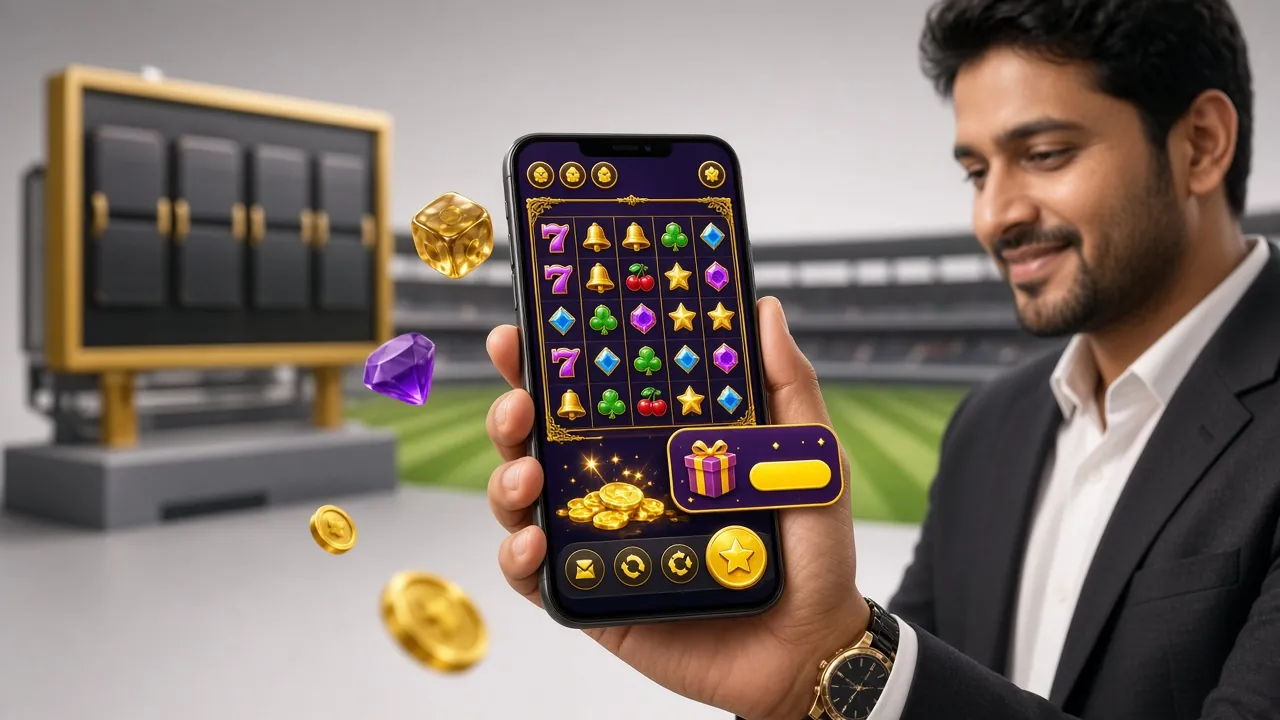
Games Inside the wg8 App
Explore CasinoEvery game available on the website is also available in the app. Here is a sample of what you can play right after installing.


Security & App Permissions
The wg8 app requests only the permissions it actually needs. Here is what it uses and why:
All data sent between the app and wg8 servers — including your login credentials, account balance and payment details — is encrypted with 256-bit SSL. The connection is the same standard used by Bangladeshi banks. You can verify this by checking the certificate in your browser or app settings.
The app requests camera access only when you upload identity documents for KYC verification (National ID, Passport or Driving Licence). It does not access your camera at any other time. KYC is required before your first withdrawal — the review takes up to 24 hours.
Push notifications are optional. The app asks for this permission once on first launch. You can grant it now or deny it and enable later in your phone's app settings. Notifications include bonus alerts, match start reminders and withdrawal confirmations — you choose which ones you want.
Third-party sites sometimes distribute modified APKs with malware added. The only safe source is wg8.wine/wg8-app/. Check the file name is wg8.apk and the size is 45 MB. If a site offers a different file name or claims a newer version number than 3.5.8, do not install it.
iOS Users — Add wg8 to Your Home Screen
Apple does not allow direct APK installs. iPhone users can add the wg8 website as a Progressive Web App (PWA) — it looks and behaves like a native app on your home screen.
-
1
Open Safari on Your iPhone
Navigate to wg8.wine in Safari (not Chrome or Firefox — the Add to Home Screen option only works in Safari on iOS). Make sure you are on the full website, not a cached page.
-
2
Tap the Share Icon
At the bottom of Safari, tap the Share button — the square with an arrow pointing upward. A menu will slide up from the bottom of your screen showing sharing and bookmarking options.
-
3
Select "Add to Home Screen"
Scroll down in the share menu and tap Add to Home Screen. You can rename the shortcut to "wg8" or leave it as is. Tap Add in the top right corner.
-
4
Launch from Home Screen
The wg8 icon appears on your iPhone home screen. Tapping it opens the site in a full-screen app-like view without the Safari address bar. All features — betting, casino, deposits, live chat — work the same as on desktop.
Installation Troubleshooting
If the APK does not install correctly, the table below covers the most common causes and how to fix each one.
| Problem | Likely Cause | Fix |
|---|---|---|
| "Install blocked" message | Unknown Sources permission is not enabled for the browser you used to download the file. | Go to Settings → Security → Install Unknown Apps, find your browser (Chrome/Firefox/Samsung Internet) and switch it on. Then try opening the APK again. |
| "Package parse error" | The APK file downloaded incompletely — possibly due to lost mobile data signal during the download. | Delete the existing wg8.apk from your Downloads folder, reconnect to a stable Wi-Fi or data connection, and download the file again from this page. |
| "Not enough storage" | Your phone has less than 45 MB of free internal storage available. | Free up space by deleting unused apps or files. The wg8 app needs at least 100 MB free to install and run comfortably. Check storage in Settings → Storage. |
| App installs but crashes on open | Your Android version is below 7.0, or the phone has less than 1 GB RAM available. | Check your Android version in Settings → About Phone. If it is below 7.0, use the wg8 website in Chrome instead. Close background apps to free up RAM and try again. |
| Login fails after install | Wrong password, account not yet registered, or the app is showing a cached offline screen. | Check your internet connection first. If you have not registered yet, tap Register on the app home screen or visit wg8-register. For password issues, use the Forgot Password link on the login screen. |
Still stuck? Contact the wg8 support team via in-app live chat or email [email protected] — available 24/7.
Frequently Asked Questions
Is the wg8 APK safe to install?
Why is the wg8 app not on Google Play Store?
How do I update the wg8 app to the latest version?
Can I use the same account on both the app and the website?
Does the app work on a Samsung or Xiaomi phone?
How much mobile data does the wg8 app use?
What should I do if I forget my wg8 app login password?
Related Pages